

We love the pace at which Microsoft is adding new functionality to Teams. As well as improving all the usual calling and meeting features, here are a couple of novel additions that we thought you might like to try. These could really help if you’re transitioning to a hybrid working environment or looking to modernise the tools you use to improve communication and collaboration with your team.
Share a traditional whiteboard digitally
With the seismic shift in the way people are now working, Microsoft has developed a new feature on MS Teams. ‘Share content from camera’ enables users to stream content directly from whiteboards and documents in a legible way.
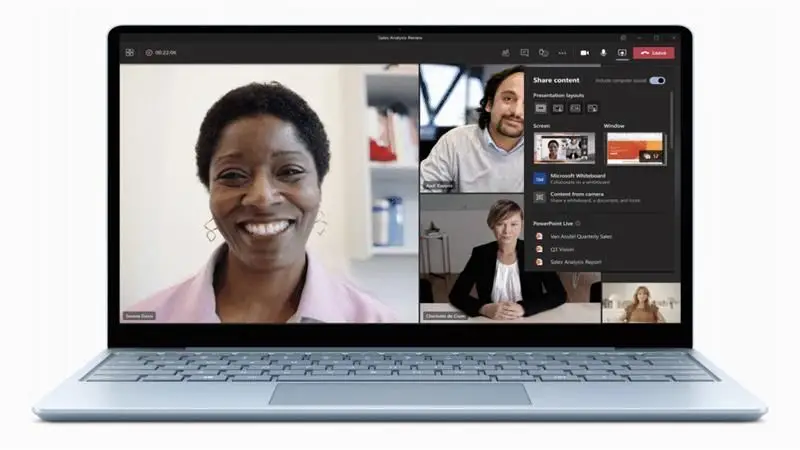
This means that if the camera detects a whiteboard or document in view, the item in question is straightened, zoomed in and the presenter’s hand or body does not block the content as it is written. This will allow for a much more interactive, collaborative and engaging presenting experience, which has been somewhat lacking in MS Teams meetings to date.

Available now on Microsoft Teams.
Use your device like a walkie-talkie
Another exciting new feature is the ability to turn any device capable of using MS teams into a walkie-talkie. It’s currently being trialled on Android devices, and available soon on iOS. Through MS Teams you will have ‘push-to-talk’ functionality, which offers several benefits over a conventional walkie talkie setup, including the following:
- Cost – No need to buy new costly equipment that is surplus to the smartphone already in most people’s pockets.
- Security – As this function is managed through the Wi-Fi and mobile phone networks, it is as secure as a phone conversation and much harder to eavesdrop.
- Range – traditional devices often have a relatively short range – as this uses the Wi-Fi and phone networks, the range is unlimited.
- Space – current ‘push to talk’ devices are an extra device to carry and add weight to what may already be a hefty amount of kit to carry around. Think front-line emergency workers or security guards.
This could mean large savings for your business and serious streamlining of technologies.
Available now on Microsoft Teams.
Would you like to find out more about these features and other MS Teams capabilities? Contact us to discuss how Microsoft Teams could improve your business.